MCP server for your agents
A new AI data layer to capture time & memory.
Less context. Fewer tokens. Better continuity — for you, your agents, and everyone you work with. No screenshots, no software installed.

The demo opens a real, read-only workspace — no signup, no email. Takes a few seconds.
Claude CodeCodexClaude.ai connectorMCP + REST APIProjectsRoles & invites
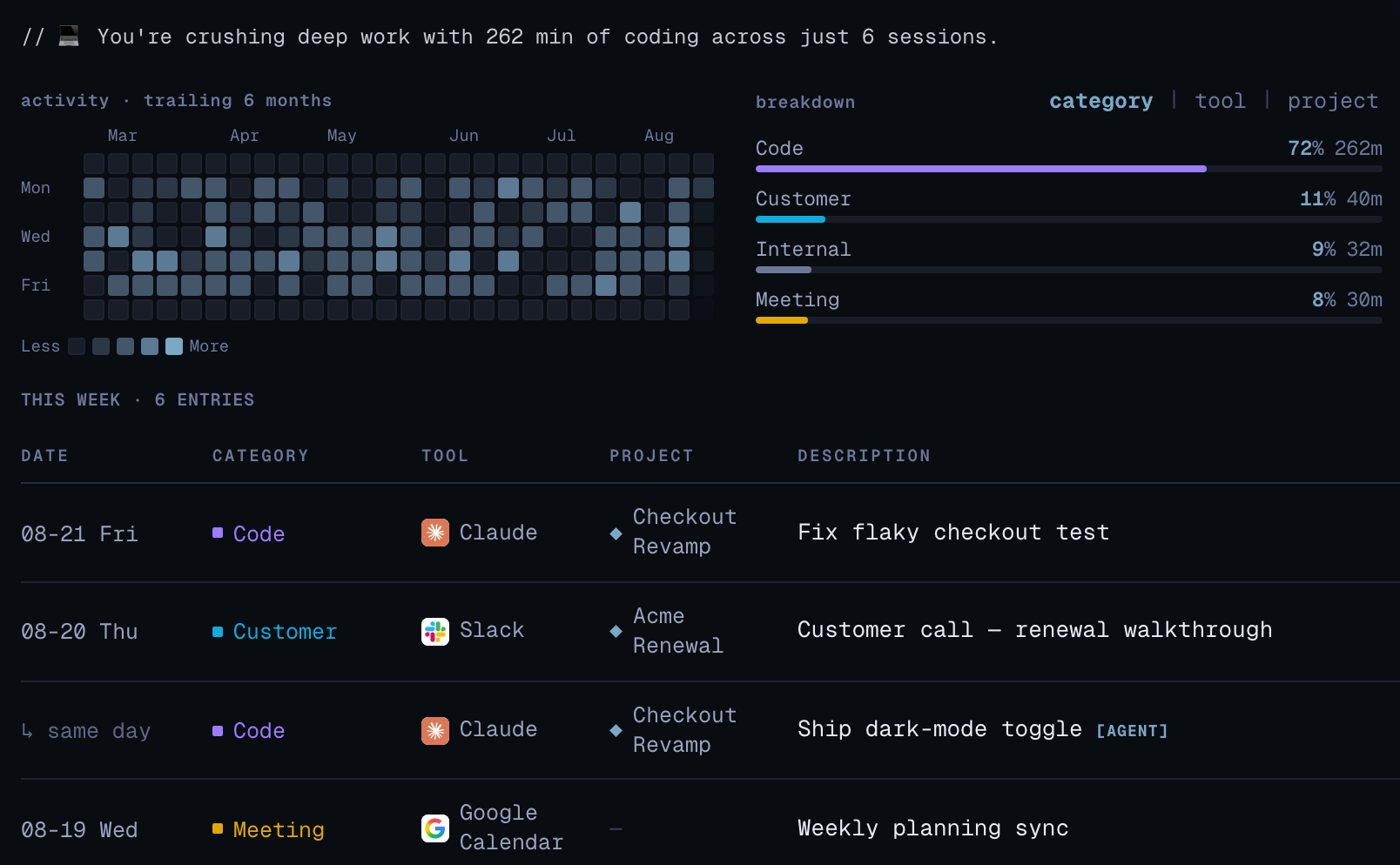
Engineer mode: your activity and this week's entries. Rows marked [agent] were logged automatically by your AI while it worked.
Agents × people
It starts solo. It becomes memory.
01
Solo
One person's work, agent captured your work instead of you — no timer, no manual entry.
02
Multi-agents
Claude Code, Codex, and every other agent write to the same record instead of starting cold.
03
Team
Invite teammates and the record grows with them — everyone keeps their own, visible to admins.
04
Memory
What's left behind isn't a timesheet. It's shared context every agent can read from.
Pricing
Two ways to start
Solo
ReadyFree while in beta
Connect Claude Code or Codex via MCP — every session becomes a structured record. Timer and manual entry work too.
Small
ReadyFree while in beta
Invite teammates by email and set their role and mode. Admins can open any member's record read-only.
Both demos open a shared, read-only workspace with realistic data — no signup, no email. Pricing is still being finalized; no credit card required until then, and we'll give notice before anything changes.
How it works
Three steps, then it runs itself
01
Connect your agent
Create a token in Settings → Developers and point Claude Code or Codex at the MCP server — or connect from Claude.ai as a custom connector over OAuth.
02
Just work
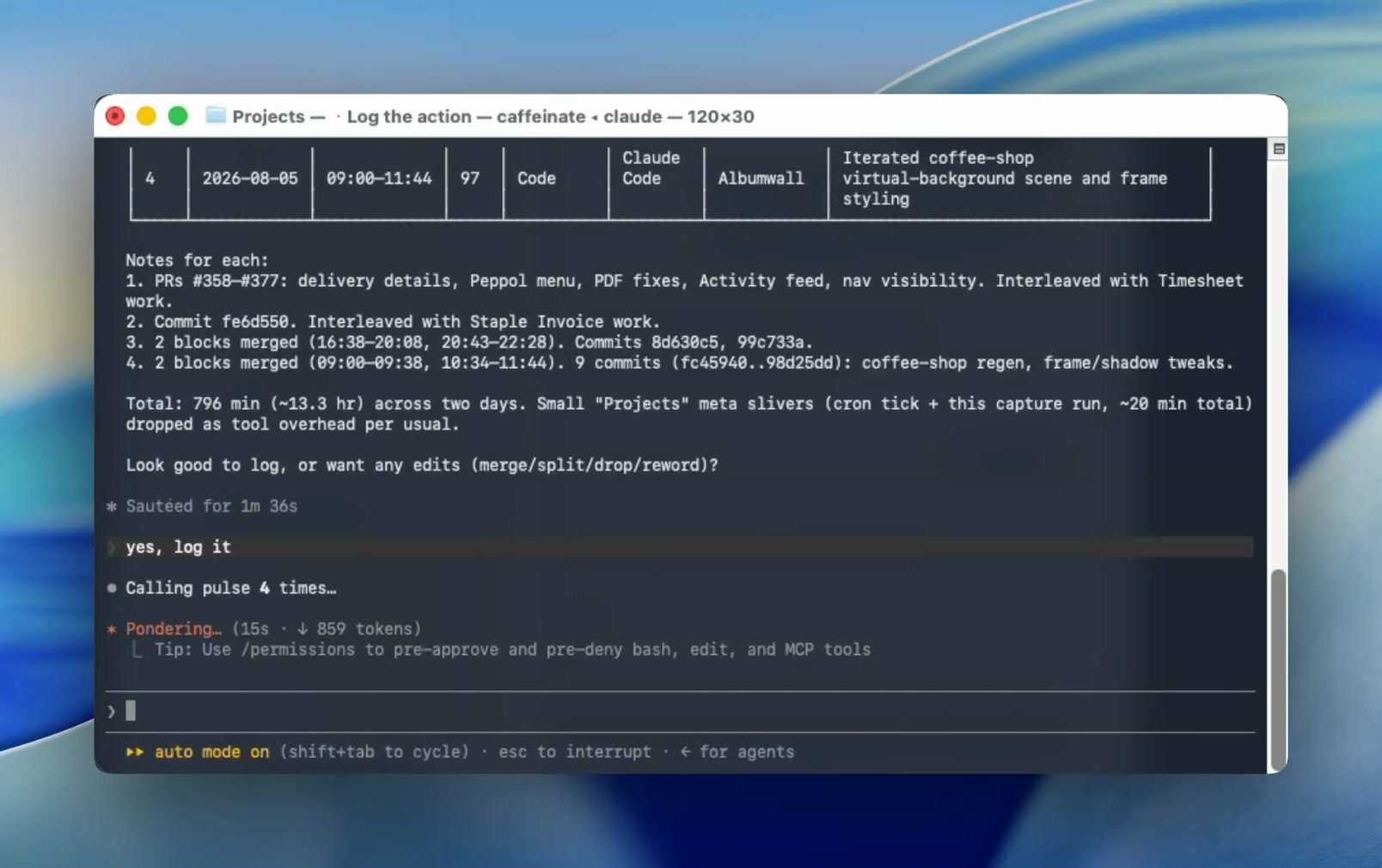
Your agent logs entries as it goes — duration, note, category, and project — through the MCP tool. Nothing to start, nothing to stop, nothing to remember.
03
Review and own it
Each agent entry is badged so you can edit, re-attribute, or delete it. Export your whole work record as JSON whenever you want.
What's inside
Everything a work record needs
Agent-logged
Records that write themselves
Claude Code and Codex log entries as you work — badged [agent], no timer required.
API + MCP
MCP-native, REST when you need it
A REST API plus a 13-tool MCP server — 19 with work memory switched on — for entries, summaries, and more.
Your workspace
Roles, modes, and a settings screen
Invite by email; set roles and modes per person, and manage projects and categories.
Developers
An MCP server and a REST API, not a plugin marketplace
The agent is the integration layer. Pulse builds no Linear, Slack, or Calendar connectors and doesn’t sync your repos — it turns work into records through the connections your agent already has. Point any MCP client at the remote server:
{ "pulse": {
"url": "https://pulse.transmit.work/api/mcp",
"headers": { "Authorization": "Bearer psk_..." }
} }
Log and edit from the agent
pulse_log_entry and pulse_update_entry write to the caller's own work record — with an optional project label in the same call.
Read what you need
Whoami, entries, summaries, categories, tools, and projects, plus member lists for admins — the same data the UI reads.
Remember what mattered
Switch it on per workspace: when your agent notices a decision or a lesson, it proposes a work memory. You confirm the ones worth keeping, and future agents read them back.
REST when MCP isn't the fit
Bearer-token endpoints under /api/v1 cover the same ground for scripts, cron jobs, and dashboards.
Privacy by design
What Pulse stores, and what it never sees
No screen, no keystrokes
No screenshots, keystrokes, window titles, idle tracking, browsing, or location — ever.
No software installed
Pulse is an API your agent calls — nothing installed on your machine, nothing running in the background.
Agents can't delete
No delete tool, by design — every entry your agent writes stays visible and editable.
AI tools have context. Give it a record.
Free to try while we're in beta.
Create free accountEnterprise
Your memory. Your infrastructure.
For organizations that need Pulse inside their own security boundary. Pulse can be deployed around your requirements — including your own infrastructure, database, and authentication — while keeping the same AI-native work and decision-memory experience.
Infrastructure
Pulse-managed, dedicated, or your environment.
Data
Dedicated or customer-controlled database.
Auth
Integrate with your identity and access policies.
Deployment
Cloud, dedicated, or internal options depending on requirements.